
Interactive images for WordPress
Create interactive images with connected views
Add clickable areas, popups and image-to-image navigation to photos, floor plans, diagrams and visual guides. Let users move from an overview to the details, without custom development.
The problem
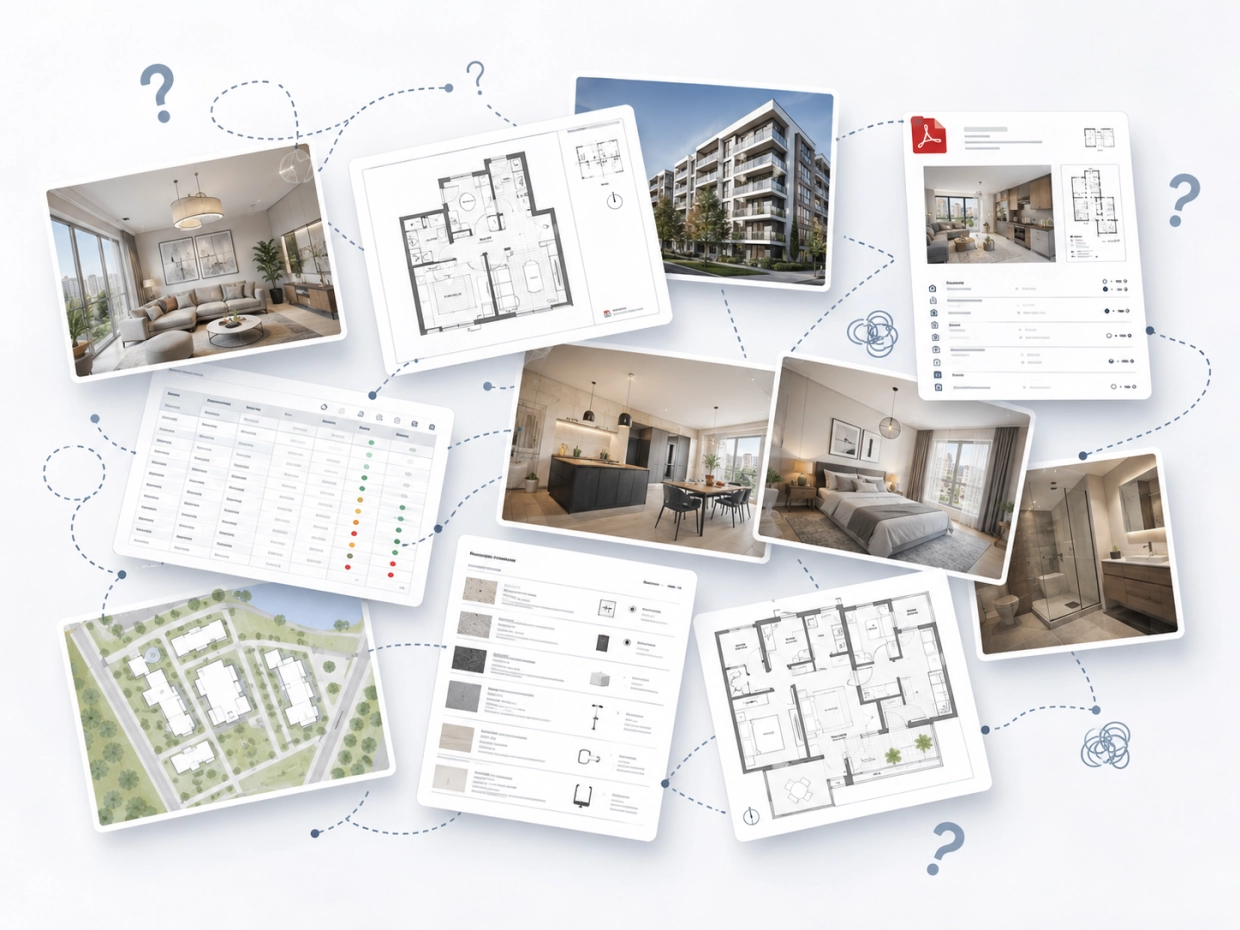
Static images don’t explain the full story
Photos, plans, diagrams and galleries often contain valuable information, but they usually live as separate files, images and pages. Users have to connect the dots themselves just to understand what they are looking at.
Scattered
Information is scattered across visuals, text and files.
Lost context
Users lose context when they move between pages.
Hidden detail
Important details stay hidden inside static images.
The solution
One image can lead to the next
WP InSpot turns scattered visual content into a clear interactive path. Start with a photo, floor plan, diagram, product shot or visual guide. Add clickable areas, show helpful context and let users move from one image to another when they need more detail.
1
Start with any image
Use a photo, plan, diagram, render or illustration as the base of your interactive experience.
2
Add clickable areas
Mark buildings, rooms, objects, zones, product details or diagram elements directly on the image.
3
Show context or continue deeper
Open a popup, display related content or guide users to another connected view.
4
Publish in WordPress
Embed your interactive image on any page and manage it from the WordPress admin.
Connected views
More than hotspots: connected images
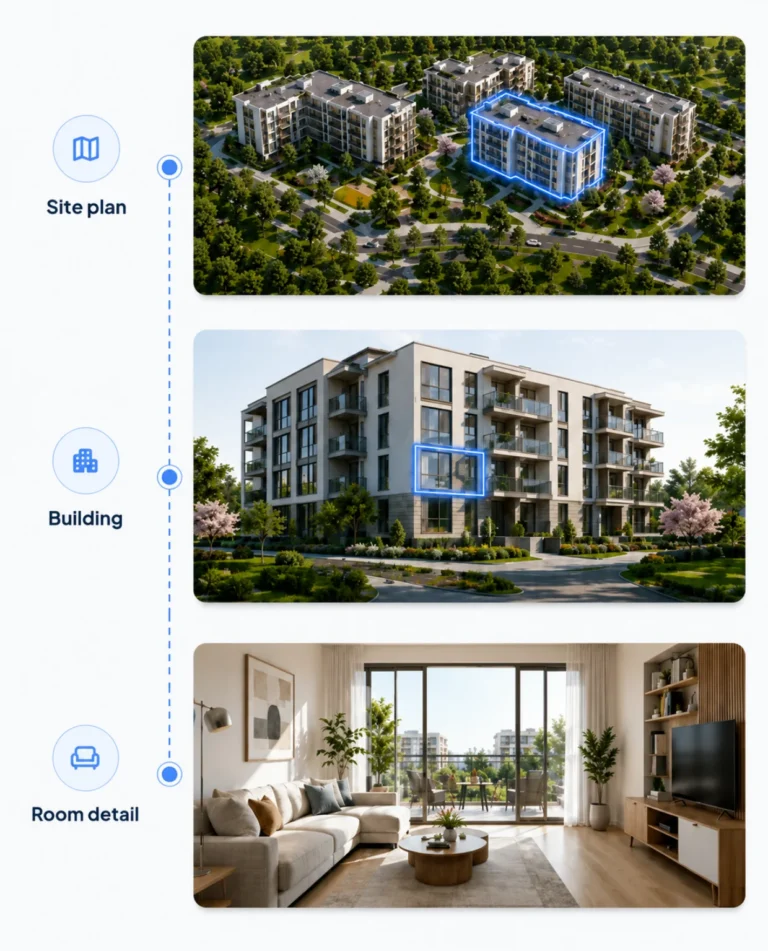
Most hotspot tools stop at a popup. WP InSpot lets one image lead to another, so users can move naturally from overview to detail.
Start with a large visual, such as a site plan or wide establishing shot. Then guide users deeper into a building, floor, room, product part or diagram element — without forcing them to jump between disconnected pages.
A practical alternative
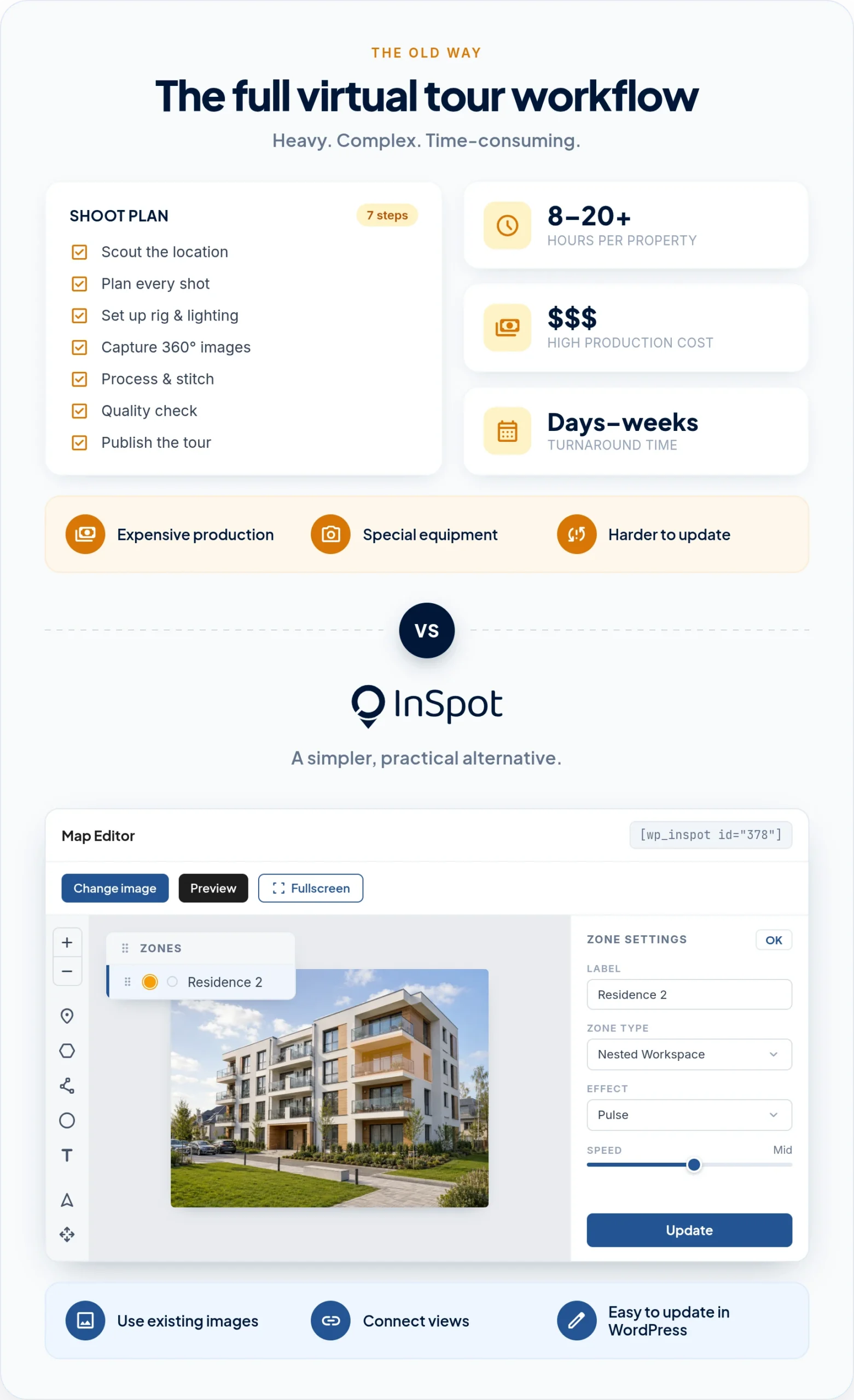
Not every project needs an expensive virtual tour
Full virtual tours can cost thousands and often require outside production, special tools and time-consuming updates. WP InSpot gives you a simpler way to create an interactive visual experience.
Use the materials you already have — plans, renders, floor plans and photos — even images captured on your own phone. Then connect them into an interactive path that helps users explore spaces, properties and venues more naturally.
WP InSpot is a more practical way to create guided, interactive experiences without the cost and complexity of a full 3D tour.
Use cases
Built for visual content that needs explanation
WP InSpot works wherever a static image contains more information than it can show at first glance.

Real estate developers
Turn site plans, building views and floor plans into interactive property presentations.
Site plan → Building → Floor → Apartment

Hotels, tourism and attractions
Create visual guides for hotels, resorts, campsites, attractions and venues using plans and photos you already have.
Venue plan → Area → Room or attraction

Museums and public institutions
Help visitors understand spaces, exhibitions and collections with accessible, structured visual guides.
Museum floor plan → Room → Exhibit
Education and expert diagrams
Turn complex diagrams, illustrations and processes into guided explanations.
Diagram → Element → Explanation

Expert e-commerce
Explain technical products, components and premium product details directly on the image.
Product photo → Part → Detail
And many more
Your images, your story
Event venues, campuses, factories, parks, sports facilities — wherever one image has to explain more than it can show.
Features
Everything you need to make images interactive
Clickable areas
Draw interactive zones on photos, plans, diagrams and renders.
Popups and content cards
Show helpful context without sending users away from the image.
Connected views
Let users move from one image to another while staying in the same visual flow.
WordPress content
Use WP InSpot inside your WordPress site and connect visual areas with website content.
Responsive experience
Create interactive images that work across desktop and mobile layouts.
Accessibility-conscious structure
Build clearer interactive visuals with keyboard-friendly and structured content in mind.
WordPress-native
Made for WordPress, not another external platform
WP InSpot is managed inside WordPress, so your interactive images stay close to the pages, content and workflows you already use.
Create a visual workspace, add clickable areas, connect content and publish it on your site without sending users to a separate tool or hosted platform.
Accessibility
Designed with accessibility-conscious projects in mind
Interactive visuals should not become a barrier. WP InSpot is intended to support clearer, more structured image experiences that can be used in accessibility-oriented WordPress projects.
Use text descriptions, logical content structure and keyboard-friendly interactions to make visual information easier to understand.
Live demo
See WP InSpot in action
Explore how a static image can become a connected visual experience. Start from an overview, click into details and see how popups and connected images help users understand more without losing context.
Pricing
Start simple. Upgrade when you need more.
Use WP InSpot for small interactive image projects, then upgrade when you need more workspaces, advanced publishing options or professional features.
Free
For testing WP InSpot and creating small interactive image experiences.
Pro
For freelancers, website owners and businesses that need more visual projects and production-ready features.
Agency
For teams and agencies building interactive visual experiences for multiple clients.
FAQ
Frequently asked questions
Make your images interactive
Turn photos, plans, diagrams and renders into connected visual experiences your users can actually explore.
Built for WordPress. Designed for connected visual experiences.